Inside Coasty.ai: How their Computer-Use Agent Actually Sees and Acts on a Screen

Coasty’s marketing site talks about an agent that “reads the live screen” and “recovers on its own when the UI changes.” That’s the pitch every computer-use agent makes. What’s actually worth looking at is the open-source repos behind it, because the architecture is more specific and more checkable than the homepage copy suggests.
The loop: one interface, three executors
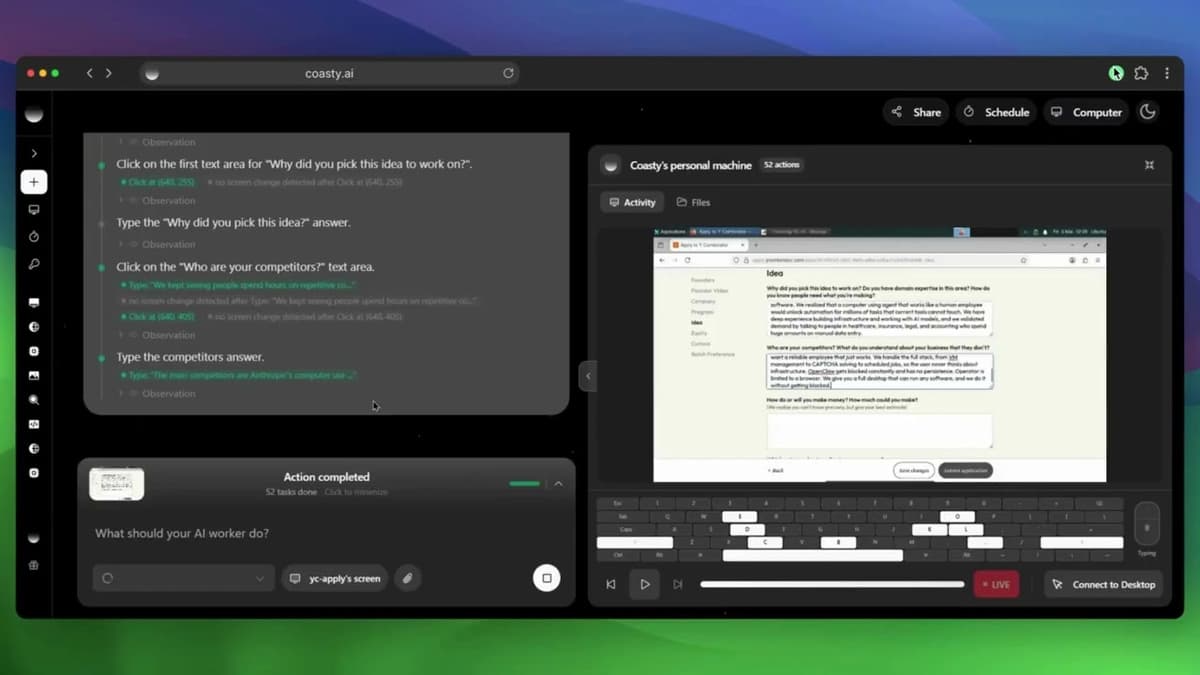
The core design decision lives in Coasty’s open-cowork repo. There’s a single shared agent loop, screenshot, predict, act, repeat, and it drives any target screen through one Executor interface with three implementations: LocalExecutor for your own desktop, RemoteMachineExecutor for a cloud VM, and BrowserExecutor for a browser session. The loop itself doesn’t know or care which executor it’s talking to. It just calls the same interface methods and gets a screenshot back, then sends an action forward.
This is the part worth paying attention to if you’re evaluating computer-use frameworks generally, not just this one. A lot of agent tooling in this space hardcodes the execution target into the reasoning loop, which means supporting a new target (say, adding cloud VM support to something built for local desktop only) means touching the core loop. Separating “how the agent decides what to do” from “where the action actually executes” is a real architectural choice, and it’s the same pattern that shows up in frameworks built to last past a single deployment target.
The prediction step is its own seam
The second real design decision: the predict step, meaning the actual LLM call that turns a screenshot into a decision, is abstracted behind its own package boundary (@open-cowork/llm). Coasty’s own model is the default implementation sitting behind that interface, but it’s explicitly not privileged. Bringing your own LLM, OpenRouter, OpenAI directly, or a local model through Ollama or LM Studio, is just another implementation behind the same contract. The loop, the executors, and the UI don’t change based on which one is plugged in.
That’s a meaningfully different bet than most vendor-hosted computer-use products, which typically couple the orchestration logic to their own model and treat “bring your own model” as a separate, second-class integration path. Here the vendor’s own model has no structural advantage over a competitor’s; it just happens to be the default.
Where the security boundary actually sits
The API key handling is worth walking through because it’s a common failure point in agent tooling generally. COASTY_API_KEY lives only in the backend’s environment. Browser clients, the Electron desktop renderer, and the mobile app never see it; they authenticate to the backend using short-lived session tokens, and the backend is what proxies calls out to Coasty’s actual API. That’s the standard pattern for keeping a long-lived secret out of anything that ships to an end-user device.
What’s more specific here: the project claims this is enforced by tests that scan every client bundle for secret material, plus a runtime end-to-end assertion that watches every outgoing browser request for leaked key patterns. That’s a testable claim, not just a design intention, assuming the test suite actually does what the README says. It’s the kind of detail that separates “we followed a security pattern” from “we verified we followed it,” and it’s worth checking the actual test files if you’re deciding whether to build on this.
What the hosted API actually looks like on the wire
Strip away the product pages and the API surface is a fairly ordinary REST interface. A POST /v1/runs call takes a machine_id (a cloud VM provisioned separately via POST /v1/machines), a natural-language task string, a cua_version flag (v3 for guided runs, v4 for autonomous runs with an added pass/fail verifier), a max_steps ceiling billed per step, a deadline_seconds timeout, and an on_awaiting_human field controlling what happens when the agent needs a human decision: pause, fail, or cancel outright.
The versioning split between v3 and v4 is a specific, checkable design detail: v4 isn’t just “the newer model,” it’s specifically the version that adds an automated pass/fail verification step after actions, which lines up with the observe-act-verify-recover loop described on the marketing site. Whether that verifier meaningfully reduces silent failures in practice is a separate question from whether it exists, but the existence of a discrete verification step as its own versioned feature, rather than a vague “it self-corrects” claim, is at least something you could test yourself against a real workflow.
Sandbox isolation
Sessions run inside isolated environments, either Azure Container Instances or AWS EC2, each spinning up a full Ubuntu desktop with XFCE and Chrome, connected back to the orchestration layer over a WebSocket bridge. Nothing persists after the session terminates. That’s a fairly standard sandboxing approach for this category (ephemeral VM per session, full desktop rather than a stripped-down headless environment), and it matters because a computer-use agent that’s actually clicking through a real desktop needs a real desktop to click through, not just a browser context.
What this adds up to
None of this settles whether Coasty is the right computer-use tool for a given job, and it says nothing about the benchmark claims on the marketing pages, which is a separate question entirely. What the open-source repos do show is a genuine architectural split between the reasoning loop, the execution target, and the model doing the predicting, plus a specific, testable claim about how the API key never reaches a client. That’s more substance than “it sees the screen and figures it out,” and it’s the part of the pitch that’s actually possible to verify by reading the code instead of the landing page.
Sources
- open-cowork architecture: https://github.com/coasty-ai/open-cowork
- open-computer-use repo: https://github.com/coasty-ai/open-computer-use
- Coasty Computer Use API tutorial: https://coasty.ai/blog/automating-form-filling-checkout-api
- Coasty GitHub organization: https://github.com/coasty-ai